Version 1.0 · for macOS 15 Sequoia and later

Clear what
went stale.

Your Mac keeps everything: installers you ran once, build folders from finished projects, caches, exports you sent and forgot. Vapour Cleaner shows you exactly what they are, then turns them into vapour.

One payment · no account · macOS 15 or later, Apple silicon and Intel

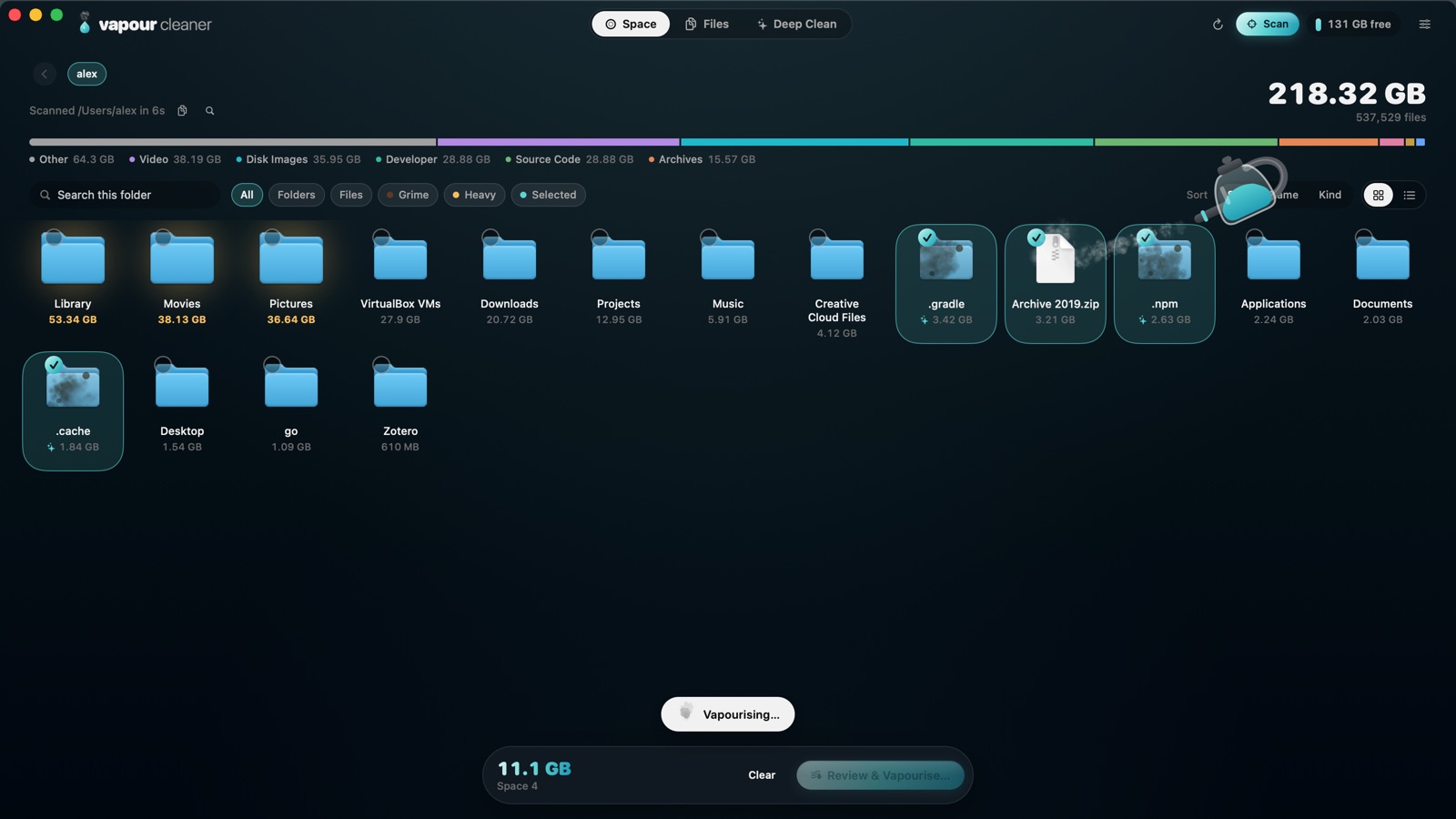
Vapour Cleaner showing a home folder as icons, with .gradle, .npm, .cache and an old zip selected and the steamer vapourising them.
Try it here

Go on. Vapourise something.

These are files from the app’s demo Mac, newest first. The longer since they were opened, the fainter they get.

  1. Tick what you don’t need. The stale ones are already picked.
  2. Press Vapourise and watch the disk breathe again.
  3. Changed your mind? It all went to the Trash. Put it back.
Macintosh HD · 1 TB131 GB free
38.0 GB6 items selected

A demo on this page. Nothing on your Mac is touched.

A tour of the real app

See the whole Mac.
Then only what went stale.

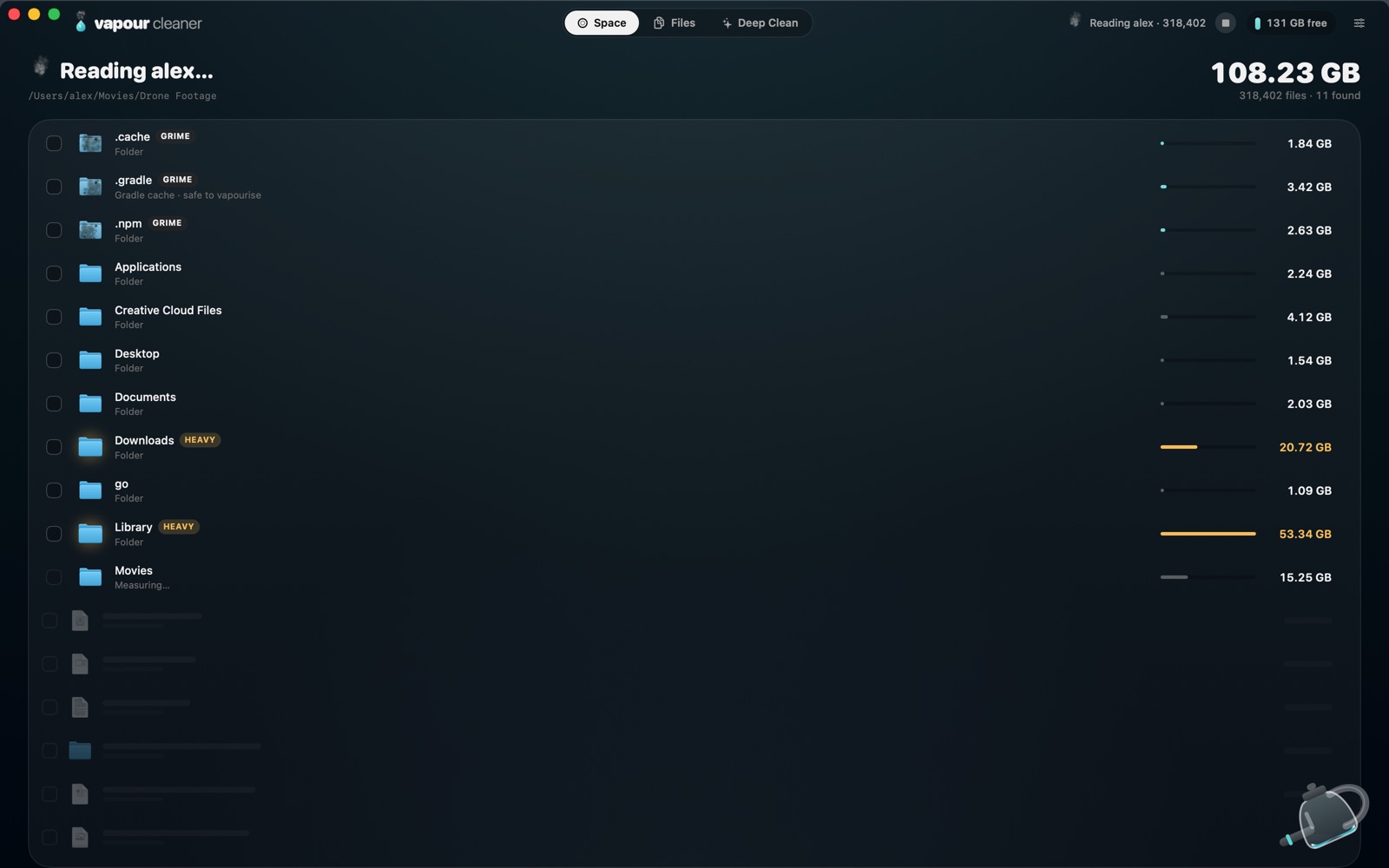
Folders appear as the scan finds them. Heavy ones glow; caches and build output show up stained while it’s still reading.

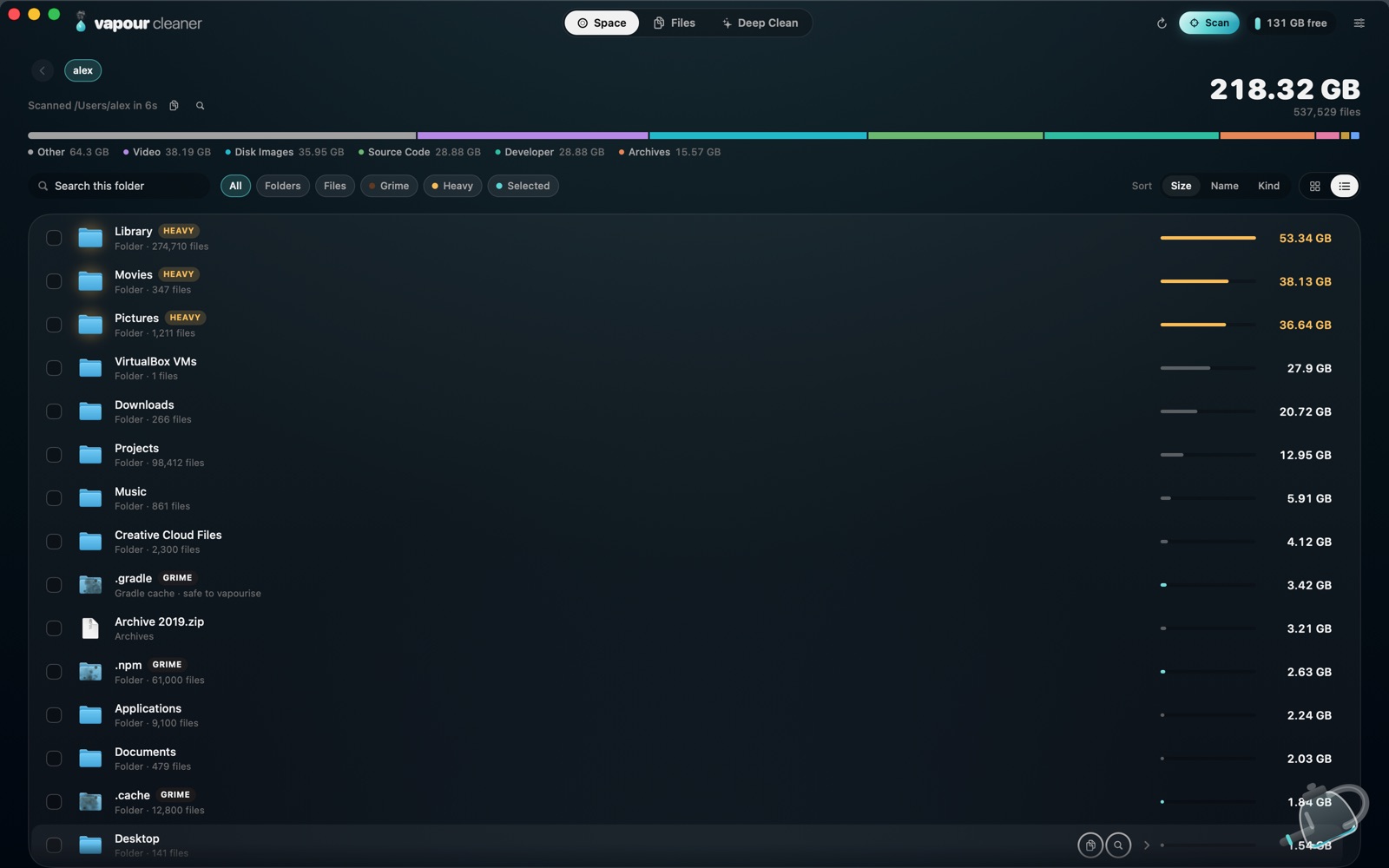
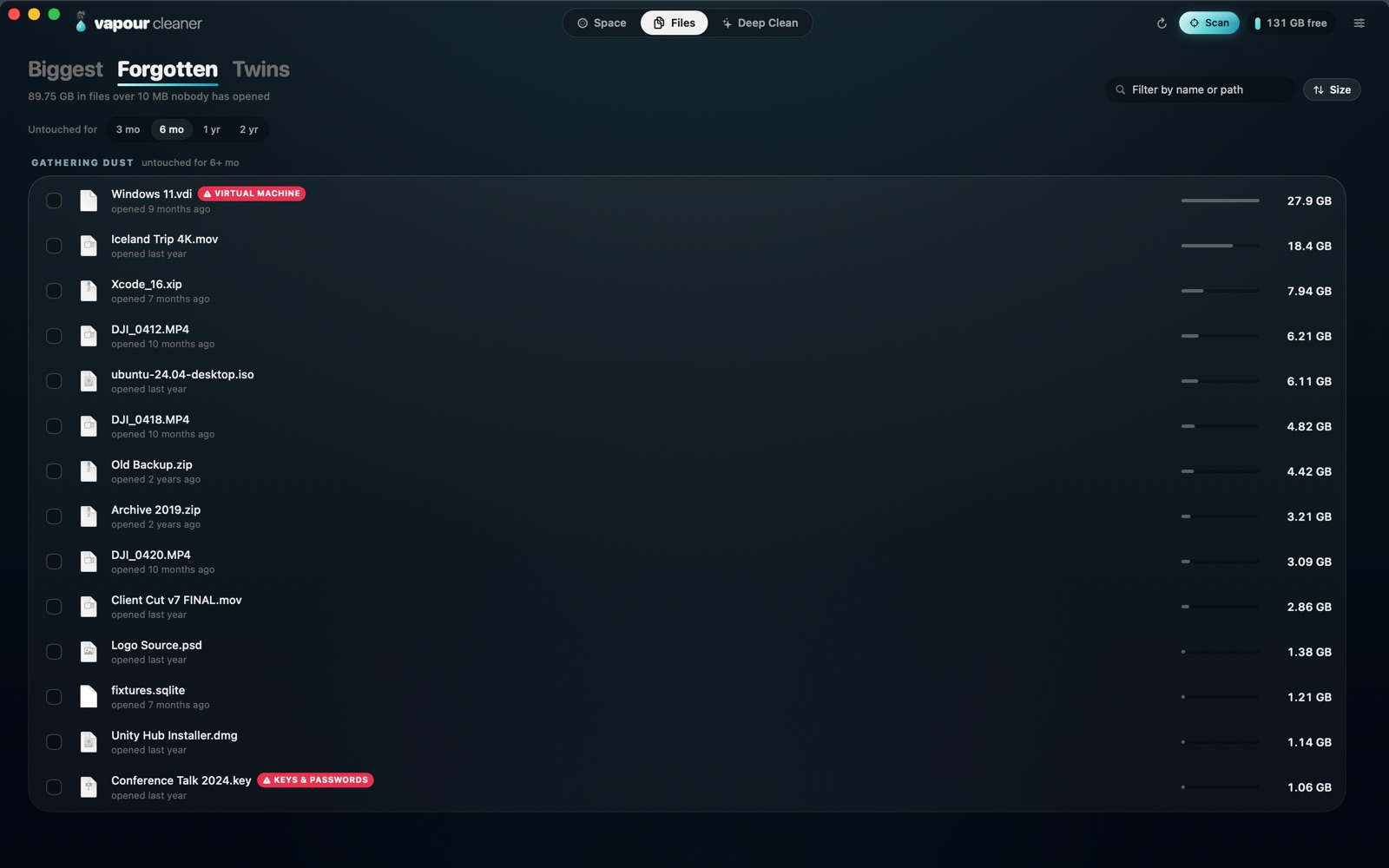
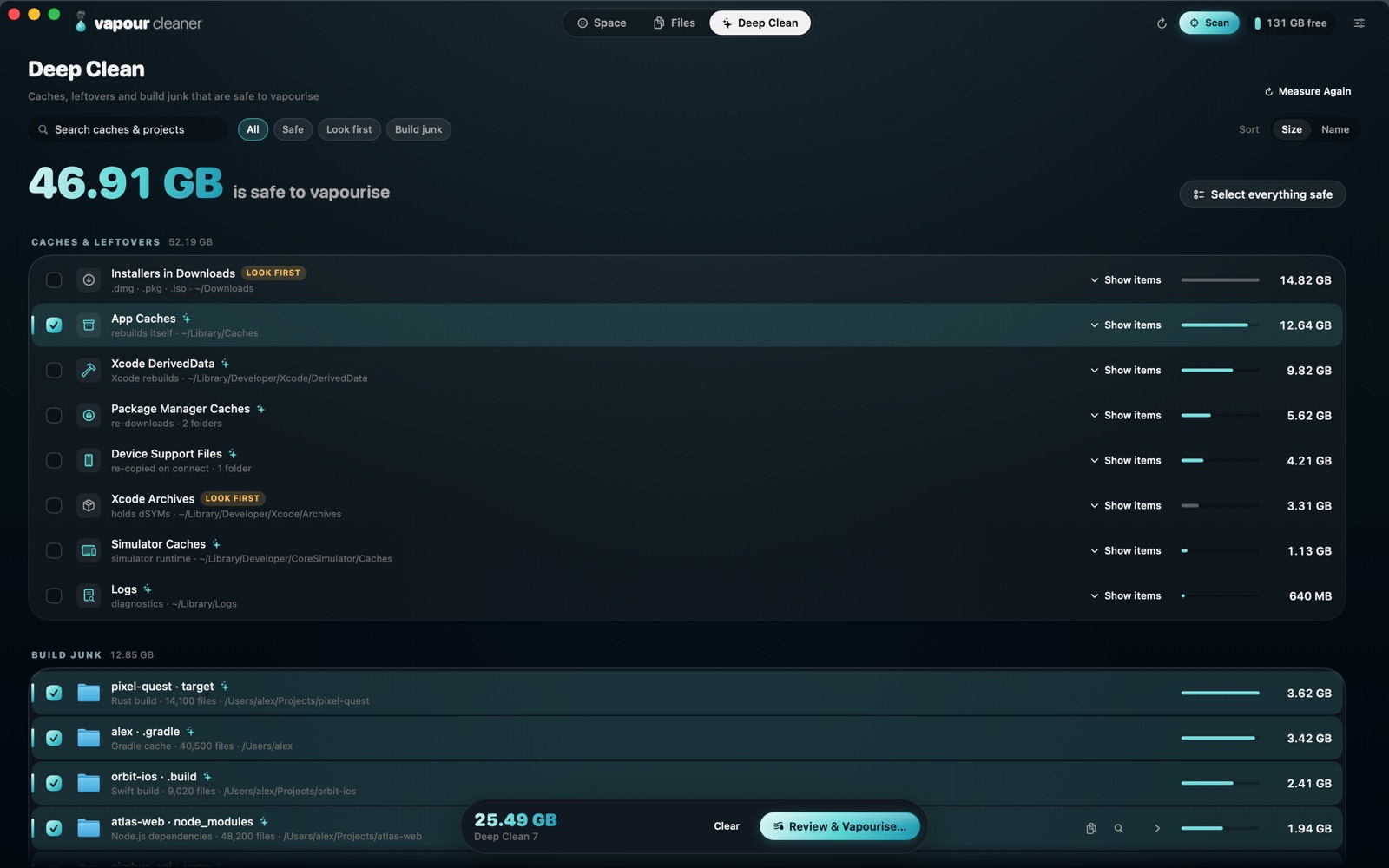
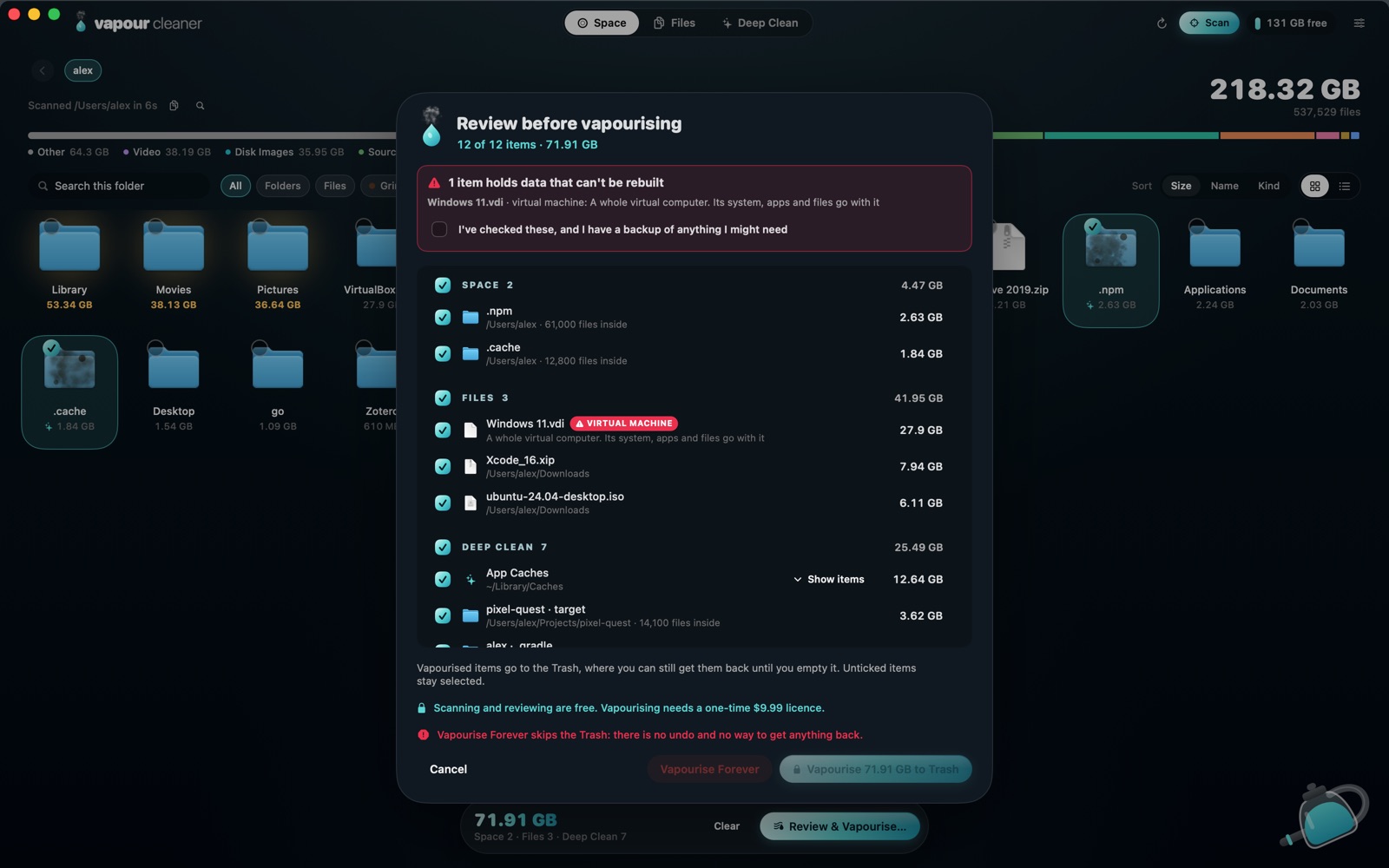
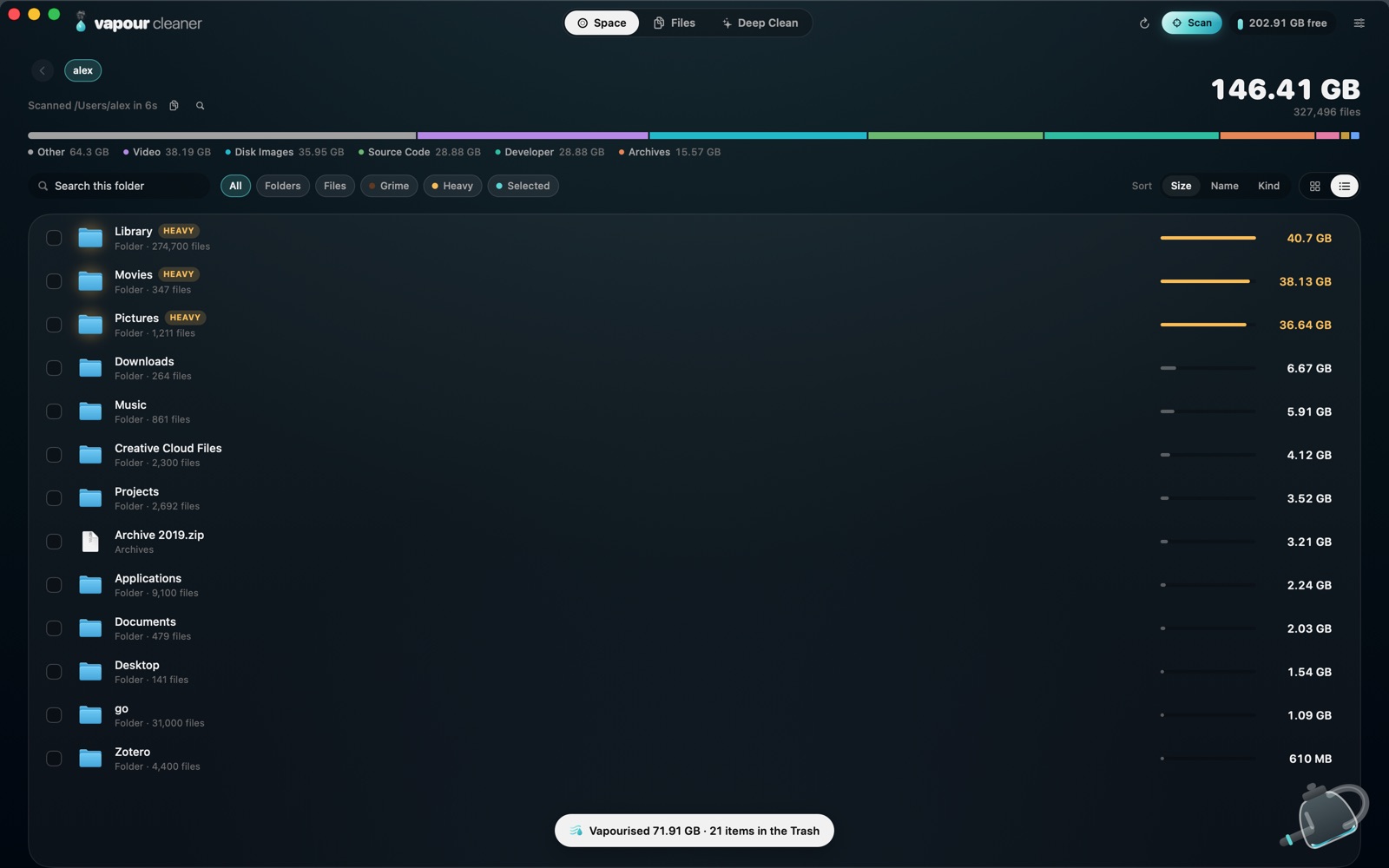
Mid-scan: home folders listed as they are found, grime and heavy folders already marked. The scanned home folder as a list, Library, Movies and Pictures marked heavy. Files, Forgotten: 89.75 GB in files over 10 MB not opened in six months. Deep Clean: 46.91 GB safe to vapourise, App Caches and build folders selected. The review sheet: 12 items, 71.91 GB, with a warning that a virtual machine can’t be rebuilt. After cleaning: 202.91 GB free and a notice reading Vapourised 71.91 GB, 21 items in the Trash.
Safety

Stale isn’t the same as safe.

Every file and folder is rated before you ever see a Vapourise button, following Apple’s guidance and long-standing Mac practice.

What can’t come back asks first.

Photo libraries, virtual machines, app data, mail, git repositories, password vaults. They’re named, the reason is spelled out, and nothing moves until you say so.

1 item holds data that can’t be rebuilt Windows 11.vdi · virtual machine: a whole virtual computer. Its system, apps and files go with it.
SafeLook firstAsks firstLocked

The Trash first

Vapourising moves things to the Trash. Until you empty it, every item can come back.

macOS stays locked

The system, Keychains and SSH keys are never touched. Your main folders can only be cleaned from inside.

Pricing

One price. Yours for good.

No subscription, no account. The licence is checked on your Mac, offline.

Questions

Old doesn’t mean useless. Will it delete things I need?

Age only puts a file on the list. You decide what goes, anything that can’t be rebuilt asks first, and everything goes to the Trash before it’s gone for good. Keep a Time Machine backup anyway.

What does it actually clear?

Caches apps rebuild on their own, logs, Xcode data, project build output (node_modules, .build, target, Pods, .venv), package downloads, and the big files you pick from Space or Forgotten.

Is there a free version or trial?

No. Vapour Cleaner is $9.99 once, with no subscription. Before you buy, try the vapour above and see every screen of the real app in the tour.

Does it collect anything?

No. The app makes no network requests at all. See the privacy notes.

Why does it ask for Full Disk Access?

macOS hides some folders, like Mail or other apps’ caches, unless you allow it. Without it the app still works; it just sees less.

Which Macs does it run on?

Any Mac on macOS 15 Sequoia or later, Apple silicon or Intel.

What if I lose my licence key?

Enter your checkout email on the lost key page and every key bought with it is sent there.

Get your space back.

$9.99, once. Look at everything first, then decide what goes.